![Intuitive logo RGB-1.png]](https://help.intuitivebusinessintelligence.com/hs-fs/hubfs/Intuitive%20logo%20RGB-1.png?height=40&name=Intuitive%20logo%20RGB-1.png)
With that knowledge in hand, the operational method of applying a customers’ Connection to the Intuitive for Print dashboard stack is achieved through what we refer to as an “Organisation”.
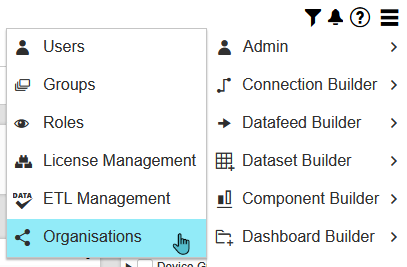
Organisations are found within the Admin Menu. They’re created per print connection, and users are assigned to these Connections through this Organisations screen.
This page itself is broken down into 3 columns. The left-most column contains any currently configured Organisations. Naturally, a dedicated environment for a customer will either be blank. For multi-tenanted environments, this will contain multiple customers that have already been created.
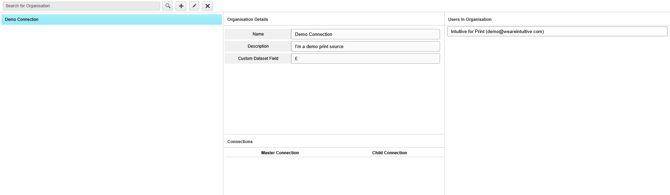
The middle column contains the Organisations’ name, the description and a field for a Custom Data Field. The name of the Organisation should always be a name familiar to you, as it is presented in the PO of the order. This is to aid in future administration of the site. The Description is a flexible field for defining additional information, perhaps their renewal dates, or additional information on the Connection etc.
Then finally, on the right are the users assigned to that Organisation. Users, when assigned, will only see the content of that Organisation should they also have access to the Group of dashboards applicable to it.
Should a user be assigned no Organisation, and access to a set of dashboards, they should only see the core data available – typically demo data. Should a user be assigned multiple Organisations, and access to a set of dashboards, they should only be able to view the first Organisation they were assigned.